
From image file to color preview
Colorize an image.No editing tools needed.
Turn a black-and-white image into an AI color preview. Upload a JPG, PNG or WebP, compare the two versions, and choose whether to keep the generated file.
- Free color preview
- No editing skills
- Private photos
- 1Upload photo
- 2Preview in color
- 3Keep the full size
or drop a photo here
JPG, PNG or WebP · Up to 20 MB · One photo at a time


A little color. A closer look.
Real photos.
See the difference.
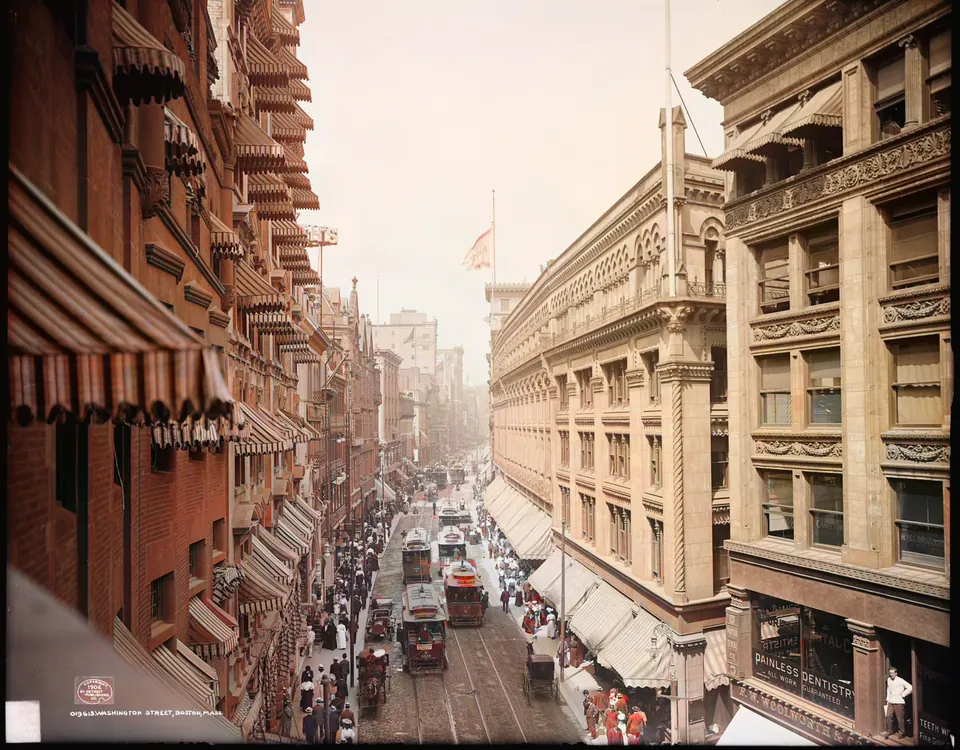
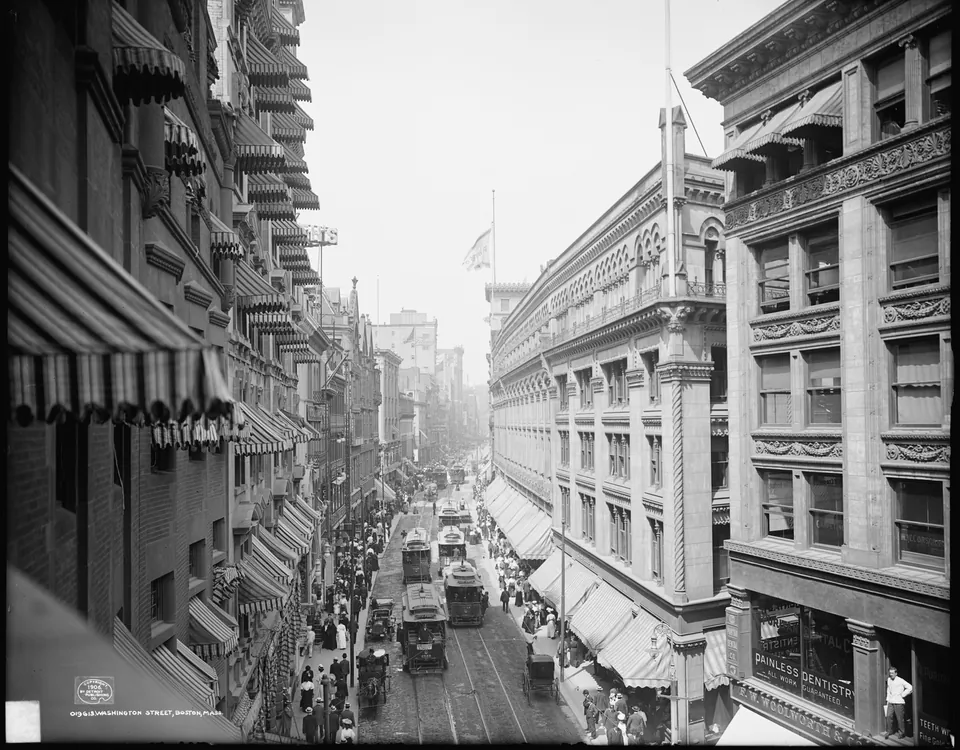
Places & history
An old street. A new perspective.
Explore the buildings, shopfronts and street life of Washington Street in Boston. Slide across the photograph to inspect the original detail alongside the colorized version.
Washington Street, Boston, 1906
Detroit Publishing Co. · Library of Congress
View the original archiveAI estimates plausible colors. Results vary by photo. Colorization does not repair or enlarge the original.
Three simple steps
From black and white to a new perspective.
No brushes. No layers. Just your photo and a preview you can judge for yourself.
Upload your photograph
Choose a clear JPG, PNG or WebP. Sign in to keep your photos and previews together.
See it in color, for free
Let AI colorize the photo, then move the comparison slider to inspect your original and the result.
Keep the result you like
Use credits to unlock the generated photo at its available resolution. Download it and save it somewhere safe.
Know what you are downloading.
A preview helps you assess the color. Your result also shows the actual dimensions of the generated file before you unlock it.
01Check the image, not just the extension
The upload needs to be a readable, static image. Renaming a PDF, HEIC file or animation to .jpg does not convert it.
02Compare at the preview size
Slide between the original and the AI result to inspect color placement. The free preview is a smaller, watermarked version of the generated photo.
03Review the available resolution
The full-resolution download is a PNG. Large inputs may be reduced for processing, and small originals are not enlarged.
Preview first. Decide after.
Only keep the colors you like.
Your color preview is free within the daily allowance. Use a credit pack to unlock full-size downloads when you are ready.
See packs and plansSee your result
Free preview
Sign in. No card needed. Preview limits apply.
Unlock a full-size photo
1 credit
The photo’s price is shown before unlocking. Download again while it is available.
A few things to know
Questions about colorizing your photos?
AI creates plausible colors. It cannot verify the colors of the original scene.
Contact usWhich image formats can I colorize?
Upload a static JPG, PNG or WebP image. The tool shows the current file-size limit. PDFs, HEIC files, SVG drawings, GIFs and animated images are not supported in this version. Export a compatible still photograph first.
Do I need to type a prompt or pick a model?
No. PicColorizer uses a photo-colorization workflow. Upload your black-and-white image and choose Colorize photo for free. There is no prompt, model selector or editing panel to configure.
Is the preview the same size as the download?
The preview is reduced and watermarked for viewing. The paid download provides the generated image without the watermark at its available resolution, which is displayed beside the unlock button. A small source may produce a file close to the preview size. The tool does not upscale images.
Does changing from JPG to PNG improve the original detail?
No. The download uses PNG, but a different file format cannot recreate detail missing from the source. Start with the clearest scan or original digital image available, then inspect the preview before unlocking.
What happens if an upload or colorization fails?
If the upload fails, you can upload the same file again. If processing clearly fails, you can retry while the original remains available or upload a new photo. A lost connection checks the original request instead of silently creating another one. Download credits are only spent when you unlock a successful result.
Can I colorize several images at once?
This version processes one image per request. Finish a preview, review it, then start another photo. Your account keeps the available results together in My photos.
Some memories deserve another look.
Start with one photograph. Your free color preview is the first step.
Colorize your photo