
For the memories in black and white
Colorize a black-and-white photo.See a familiar face anew.
Bring a different perspective to a family portrait, a wedding photograph or an old album. Start with one photo and see its AI color interpretation before you download.
- Free color preview
- No editing skills
- Private photos
- 1Upload photo
- 2Preview in color
- 3Keep the full size
or drop a photo here
JPG, PNG or WebP · Up to 20 MB · One photo at a time


A little color. A closer look.
Real photos.
See the difference.
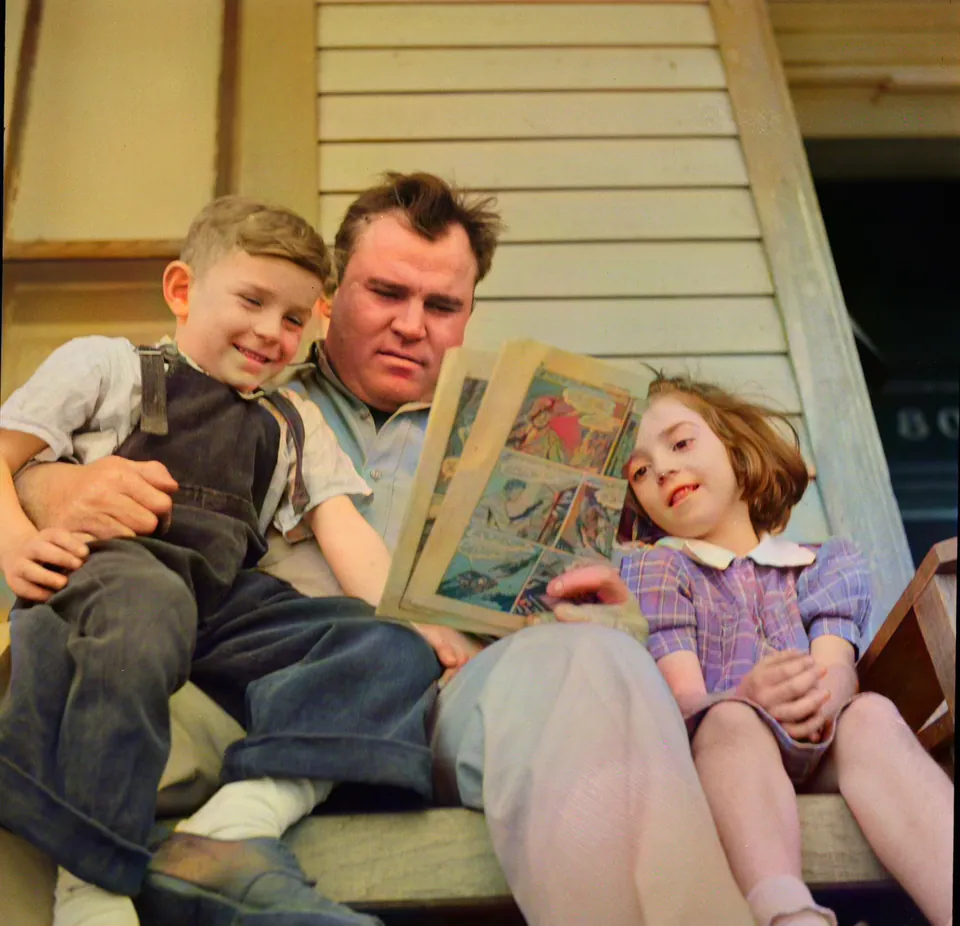
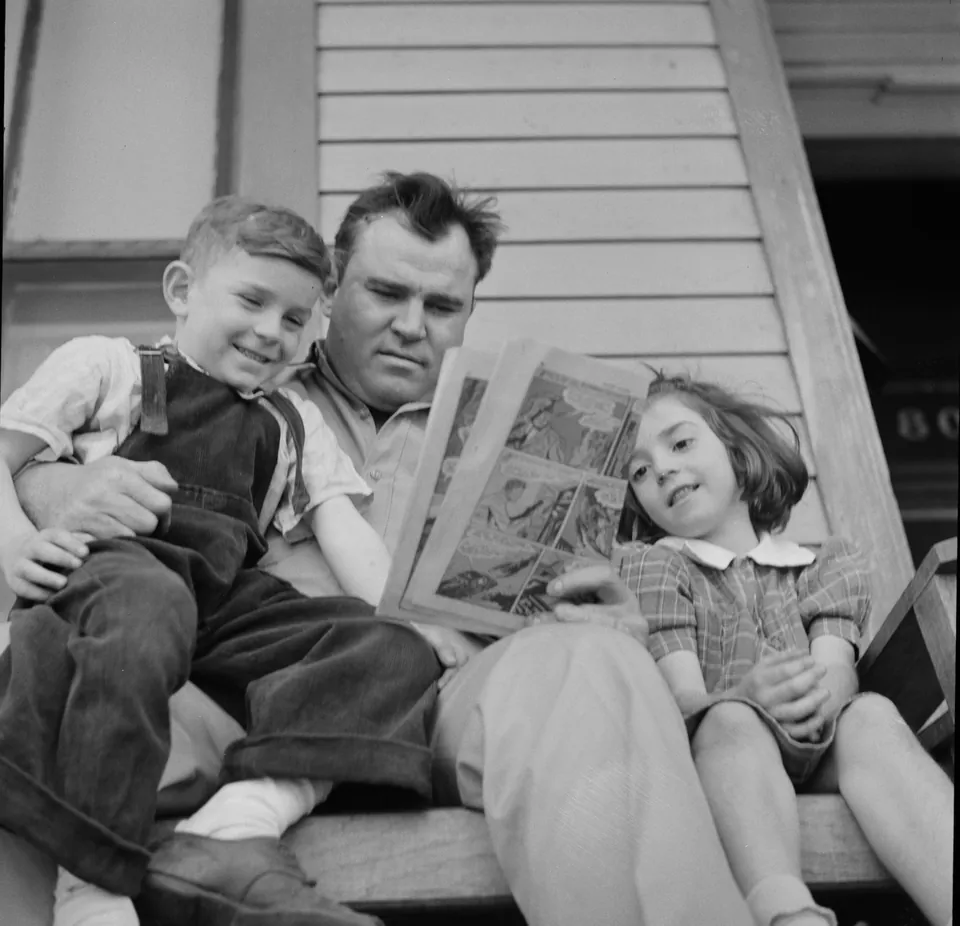
Family photos
The little details in a shared moment.
A father and his children reading the comics in Montgomery, Alabama. Compare the faces, clothing and newspaper to see how color changes your view of an everyday scene.
Try your own photoAI estimates plausible colors. Results vary by photo. Colorization does not repair or enlarge the original.
Three simple steps
From black and white to a new perspective.
No brushes. No layers. Just your photo and a preview you can judge for yourself.
Upload your photograph
Choose a clear JPG, PNG or WebP. Sign in to keep your photos and previews together.
See it in color, for free
Let AI colorize the photo, then move the comparison slider to inspect your original and the result.
Keep the result you like
Use credits to unlock the generated photo at its available resolution. Download it and save it somewhere safe.
Treat the original as part of the memory.
Color can add a new view of a photograph. It cannot prove how the people or place looked at the time.
01Digitize without changing the photo
Use a flat scan or a straight-on phone photo. Avoid glare, deep shadows and aggressive filters before uploading.
02Inspect faces and fine details
Use the before-and-after slider to review the result. Color placement may be imperfect, especially in small faces, dark areas and damaged parts.
03Share it with context
Tell family or viewers that the colors were generated by AI. Save the untouched black-and-white original as well as the new version.
Preview first. Decide after.
Only keep the colors you like.
Your color preview is free within the daily allowance. Use a credit pack to unlock full-size downloads when you are ready.
See packs and plansSee your result
Free preview
Sign in. No card needed. Preview limits apply.
Unlock a full-size photo
1 credit
The photo’s price is shown before unlocking. Download again while it is available.
A few things to know
Questions about colorizing your photos?
AI creates plausible colors. It cannot verify the colors of the original scene.
Contact usHow do I colorize a black-and-white family photo?
Make a digital scan or a clear photograph of the print, then upload it as JPG, PNG or WebP. Sign in and create a free color preview. Compare the original and result, then use credits to unlock the full-size file if you like it.
Can it know the true colors of clothing, hair or eyes?
No. A black-and-white photograph does not provide enough information to verify those colors. AI creates a plausible interpretation. Family knowledge or other historical sources may disagree with the result, and there is no manual color-correction mode in this version.
Can I use it for a group portrait or wedding photo?
Yes, you can try a readable black-and-white group photograph. Review every person in the free preview before paying. Tiny faces, overlapping subjects and heavily faded areas may produce less reliable colors.
Will it fix scratches and faded details in an old photo?
This version adds color; it is not a restoration service. Scratches, tears, blur and missing detail may remain. Start with the best copy you have, and do not expect colorization to reconstruct damaged parts.
Can I upload a historical photo from an archive?
Use an image you own or have permission to process and share. Archive permissions can vary by image. Describe a shared result as AI colorized so viewers do not mistake the generated colors for historical evidence.
Can I return to download a family photo later?
Available results appear in My photos. Once a full-size photo is unlocked, downloading it again does not spend more credits. Files are stored for a limited time; save your download before it expires. The tool and privacy policy explain storage and deletion.
Some memories deserve another look.
Start with one photograph. Your free color preview is the first step.
Colorize your photo